My Cozy Home - Dream Home Design

Beach Boxing Simulator
Sports

Castle Defender Saga
Simulation

3D Bowling
Other Games

Paper.io 2
Other Games

Johnny Trigger
Other Games

Raft Wars 2
Other Games

Cat Pizza
Simulation

Friday Night Funkin': Vs. Hatsune Miku
Other Games

Hotline Miami
Fighting Games

Minecraft 1.8.8
Other Games

Funny Haircut
Games for Girls

Cool Cars Run 3D
Car Games
Hot Recommendations

Midnight Drive
Car Games

Super Speeder
Skill Games

Angry Gran Run
Action Games

Tunnel Rush
Skill Games

Rainbow Star Pinball
Arcade Games

Rabbit Samurai
Skill Games

Wall Jumper
Skill Games

Bubble Shooter Heroes
Board Games

Skiing Fred
Skill Games

Flip Bros
Funny Games

Nekopirate: Quest for Gold!
Pirate Games

Noob: Zombie Prison Escape
Escape Games

PixWars 2
Multiplayer Games

Zombie Dying: Survival Days
Zombie Games

Running Fred
Action Games

Stunt Bike Extreme
Racing

Tetra Blocks
Arcade Games

Hockey Stars
Sports Games

Tower Merge
Merge Games

Bowling Stars
Sports Games

Army Warfare
Action Games

Johnny Trigger - Action Shooter
Shooting Games
Categories











Game Description
How can I play My Cozy Home for free?
You can play My Cozy Home for free on gn-math.
Can I play My Cozy Home on mobile devices and desktop?
My Cozy Home can be played on your computer and mobile devices like phones and tablets.
My Cozy Home - Home Design Game
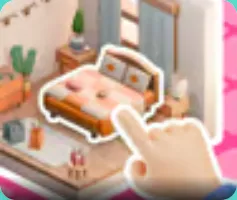
Design your dream home in My Cozy Home! Decorate rooms with beautiful furniture, create stunning interiors, and transform empty spaces into cozy living areas. With endless design possibilities, let your creativity shine!
Create Interiors
Choose Items
How to Play - Instructions
Game Controls
Drag & Drop
Drag furniture from the menu and drop it into your room. Adjust position and rotation.
Rotate & Resize
Rotate furniture to fit perfectly and resize items as needed.
Select a Room
Choose which room to decorate - bedroom, living room, kitchen, bathroom, and more!
Pick Furniture
Browse through hundreds of furniture items including sofas, beds, tables, chairs, and decor.
Place & Arrange
Drag items into your room, arrange them perfectly, and create beautiful layouts.
Complete & Unlock
Complete design challenges to earn coins and unlock new furniture and room types.
Key Features
Multiple Rooms
Decorate bedrooms, living rooms, kitchens, bathrooms, and more unique spaces.
Hundreds of Items
Choose from sofas, beds, tables, chairs, lamps, rugs, and many decor items.
Color Options
Customize colors of furniture and walls to match your design vision.
💰 Coin System
Earn coins from completing design tasks and use them to buy new furniture items.
⭐ Design Challenges
Complete themed design challenges to unlock exclusive items and earn rewards.
Tips & Strategies
🎯 Plan Your Layout
Before placing furniture, plan your room layout. Consider traffic flow and functional zones.
🎨 Create Color Schemes
Use complementary colors for a cohesive look. Try monochromatic schemes for modern designs.
🏆 Complete Challenges
Focus on completing design challenges to earn coins and unlock exclusive furniture items.
✨ Add Personal Touches
Don't forget decorative items like plants, lamps, and artwork to bring your room to life!
Game Mechanics
My Cozy Home uses a drag-and-drop design system that allows players to freely arrange furniture in rooms. The game features a coin economy where players earn coins by completing design challenges and daily rewards. These coins can be spent on new furniture items and room unlocks.
Each room has specific themes and requirements for completion. Players can customize furniture colors, rotate items for better placement, and use wall decorations to enhance their designs. The game also includes a gallery feature where players can showcase their best designs.
Expert Review
"My Cozy Home is a delightful design game that lets players unleash their creativity. The drag-and-drop controls are intuitive and responsive, making it easy to create beautiful interiors. With hundreds of furniture options and multiple room types, there's endless replay value. It's the perfect relaxing game for anyone who loves interior design!"
Design Game Expert
Rating: 4.6/5 Stars
FAQ
Q: How do I unlock new rooms?
A: Complete design challenges and earn coins to unlock new room types. Each room has specific requirements.
Q: Can I change furniture colors?
A: Yes! Many furniture items allow you to customize their colors to match your design theme.
Q: How many furniture items are available?
A: There are hundreds of furniture items across various categories including seating, storage, decor, and lighting.
Q: Can I save my designs?
A: Yes! Your designs are automatically saved as you work on them. You can revisit and edit any room at any time.
User Reviews
"Finally, a design game that's actually fun! The furniture selection is amazing and I love decorating different rooms."
- Emily, 24
"This is my go-to game when I want to relax. Designing rooms is so calming and satisfying!"
- Lisa, 35